Not a pin dropper
Loose pins and screenshots fall apart as soon as the map needs notes, areas, routes, and a second reviewer.
Markers, routes, polygons, notes, and photos live in one map project. Organize layers, then share a live map or invite collaborators with roles.
Loose pins and screenshots fall apart as soon as the map needs notes, areas, routes, and a second reviewer.
You do not need spatial analysis to annotate a working map. TrailNote stays on geometry, folders, and sharing.
One canvas for markers, routes, polygons, text, and photos, with live sharing and roles when a team joins.
Draw tools
Drop pins with notes and photos for places, hazards, and meeting points.
Draw paths with directions or freehand when the mapped road is not the real line.
Outline work zones, boundaries, and restricted areas on the same canvas.
Place labels on the map so a shared view stays readable without opening every pin.
Project inspector
Store markers, notes, dates, and status in one place so annotation work does not spill across docs, chats, and screenshots.
Open your workspace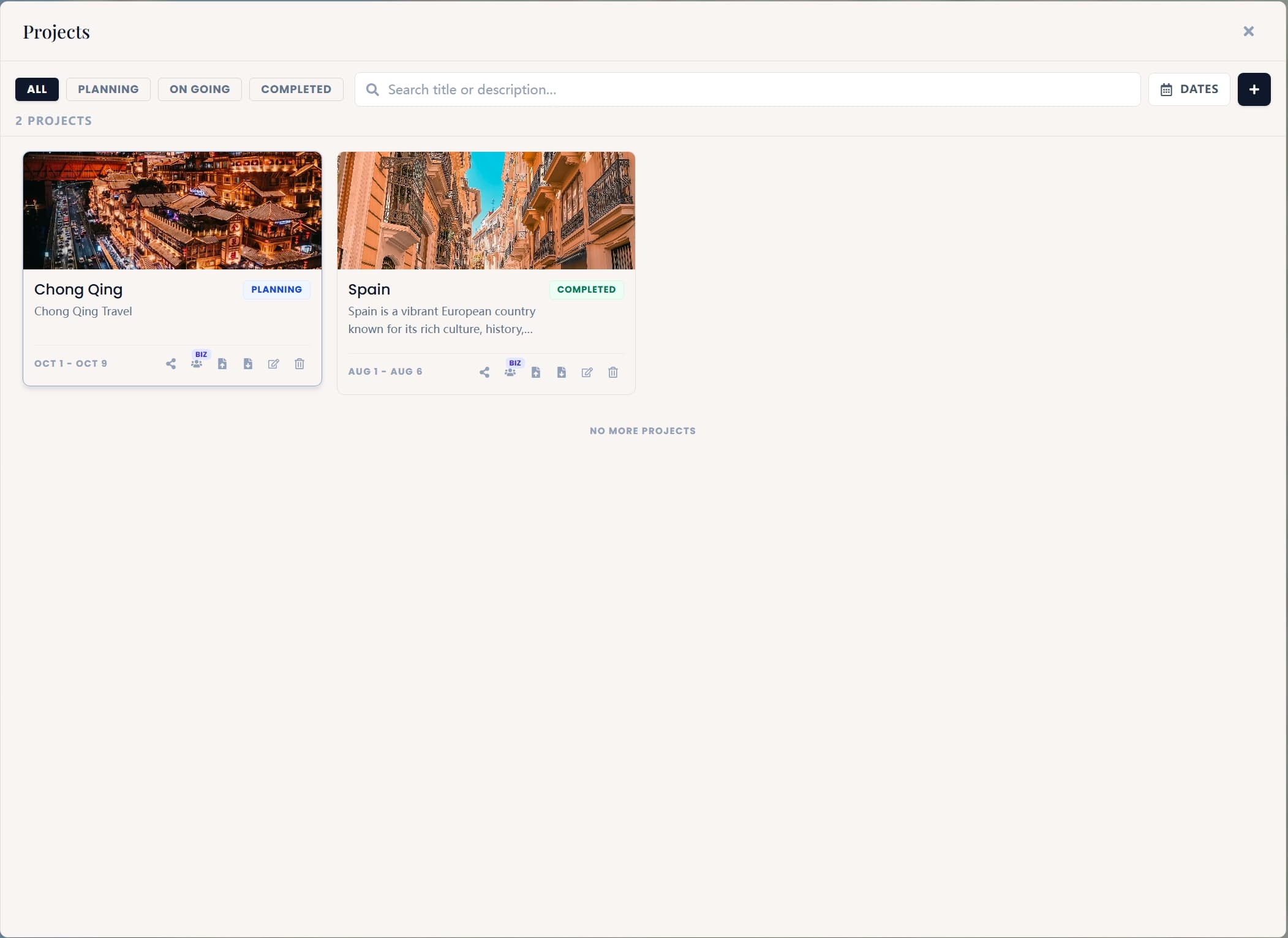
Layers
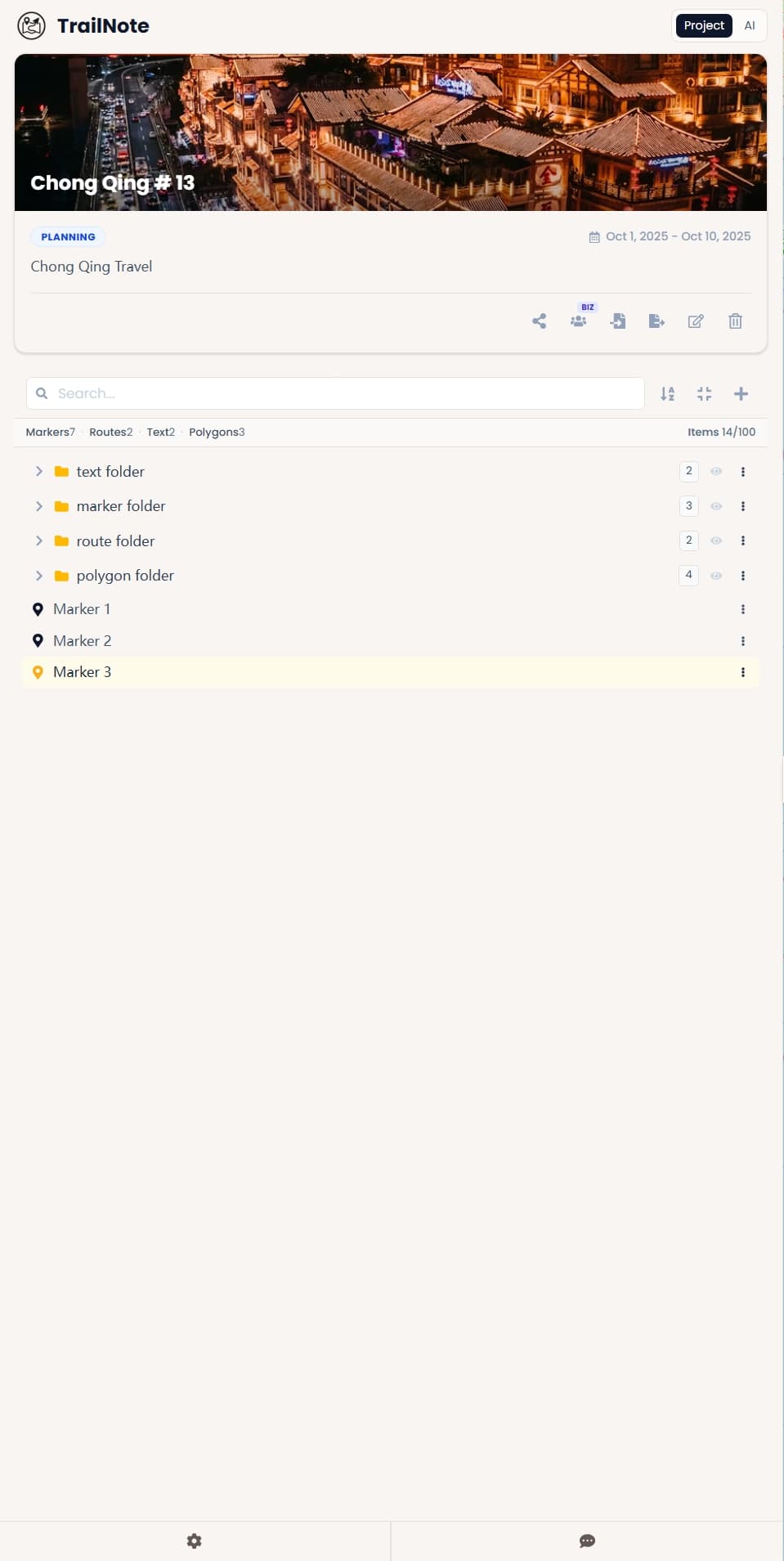
Organize every marker, route, label, and polygon by area, topic, or review stage without deleting work to clean the canvas.
Keep markers, routes, text labels, and polygons in folders so large annotation projects stay readable.
Hide or reveal folder groups while reviewing a layer, sharing a cleaner map, or comparing options.
Move related items into the right folder as a draft grows from rough marks into a finished project.
Members
Invite members, assign roles, and coordinate edits in one shared map project.
See team plans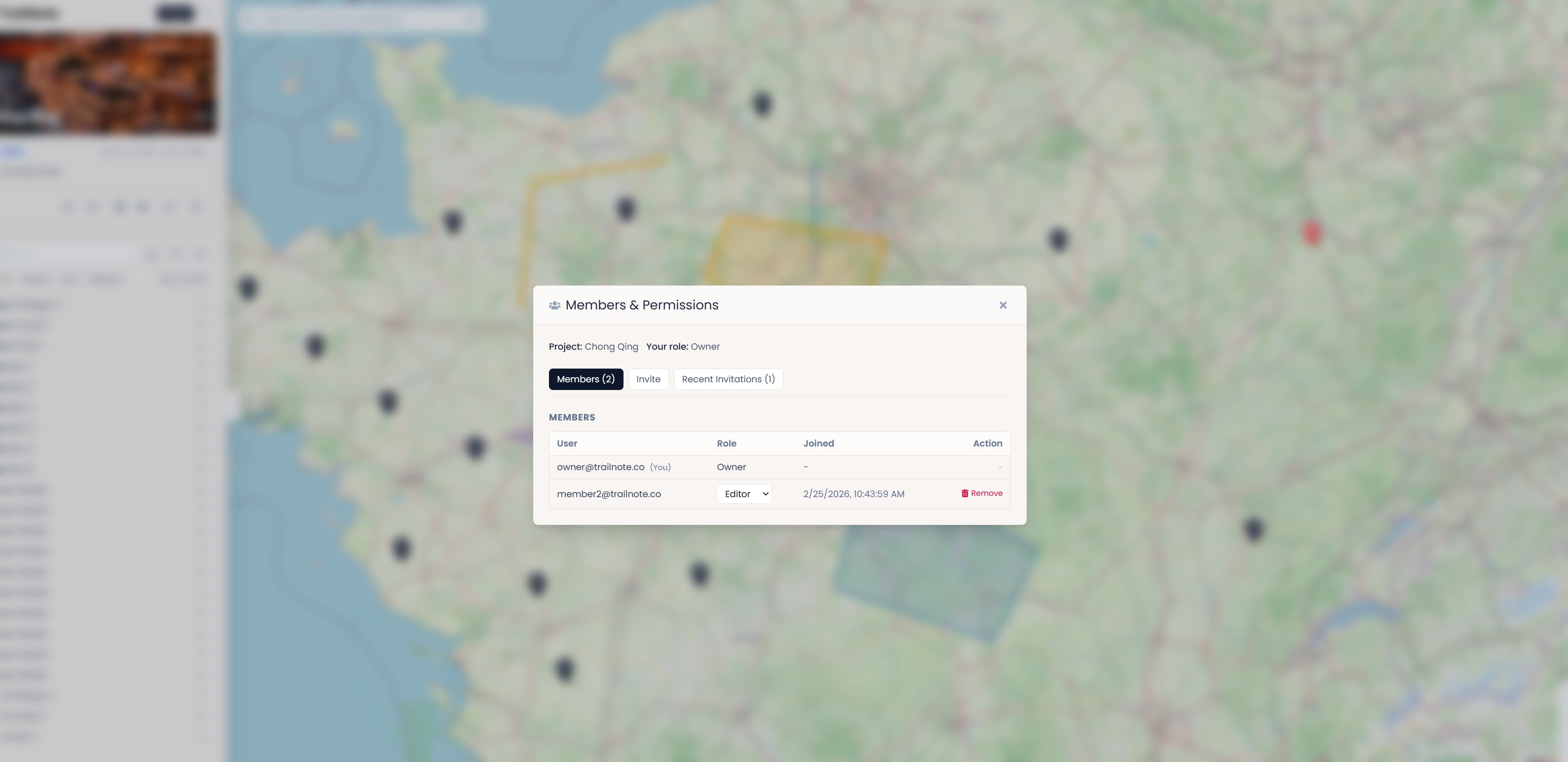
Invite planners, reviewers, and editors into the same project instead of passing around separate files.
Assign Owner, Admin, Editor, or Viewer so each person can review or edit at the right level.
Review active members, update roles, and keep pending invitations visible as the project grows.
Layer groups
Mark access points, work zones, hazards, and notes so field and review see the same map.
Draw the path that is missing from standard routing, then keep polygons and photos on the same project.
Planners, reviewers, and editors work from one annotated map with roles instead of file copies.
Empty project
Open the workspace, add markers, routes, polygons, and notes, then share a live map when the project is ready.